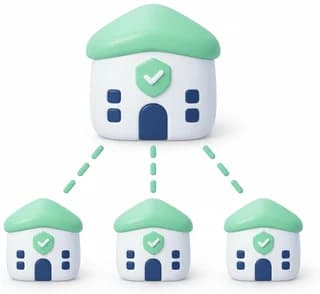
One account. Every brand, branch and team in its own workspace.
Run each branch, brand or client as its own workspace, with its own numbers, contacts, inbox, flows and team. Switch between them in one click on the web or in the mobile app. Share only what you choose.

Why workspaces
As a business grows, one inbox stops being enough. The Riyadh branch should not see Jeddah’s customers. A second brand needs its own voice, its own templates and its own team. An agency needs every client kept apart.
Workspaces give each one a home of its own, under a single account, a single login and a single bill.

Fully separate workspaces
Each workspace is its own space:
- Its own WhatsApp numbers, Messenger and Instagram channels
- Its own contacts, tags and custom fields
- Its own inbox and conversations
- Its own chatbots, AI assistants and flows
- Its own campaigns, templates and reports
- Its own team members and permissions
Nothing moves between workspaces unless you share it.
Switch in one click, on the web and on your phone
Every workspace you belong to is in the account menu. One click takes you there, with its inbox, contacts and reports. The mobile app switches too: the same account, a workspace switcher inside the app, and notifications from the workspace you are in.

Your team, per workspace
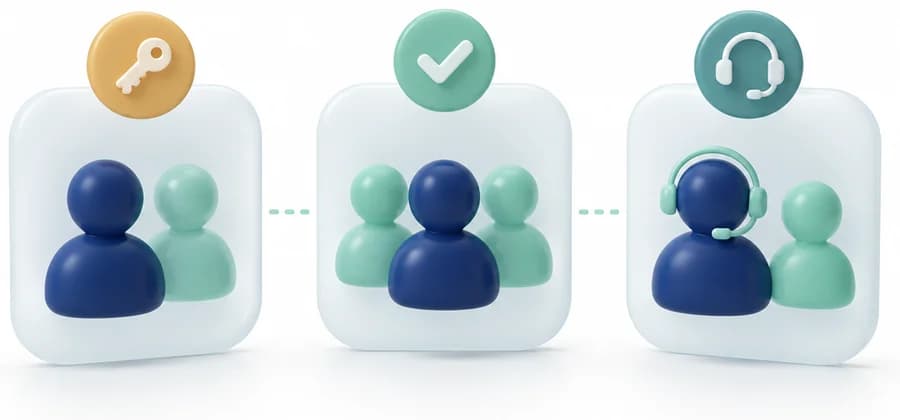
Invite a person to one workspace, to several, or to all of them, with a different role in each. An agent in the Jeddah workspace sees Jeddah’s conversations, and only those.
Share what you choose, and only that
Turn sharing on per direction (“from Riyadh to Jeddah”) and per type. The receiving workspace gets its own copy. It can add tags, edit and segment freely without ever changing the original. While sharing is on, new and updated items keep arriving; an item the receiving workspace has edited is never overwritten. Turn sharing off at any time: the copies stay, the updates stop.
- Contacts
- Media library
- Saved replies
- AI knowledge and assistants
- Chatbot flows
- WhatsApp numbers

Send from another workspace’s number
A number can be lent to other workspaces in the same account. They can run campaigns from it with its approved templates, while the number stays with the workspace that owns it: replies arrive in the owner’s inbox, labelled with the campaign they answer, and delivery and read results still reach the workspace that sent them.

Customer consent, protected everywhere
A customer who replies STOP is unsubscribed in that workspace, in every workspace holding a copy of them, and on every workspace sending from that number.
- Anyone who has not agreed to hear from you is flagged before you send. You can still send after one clear warning, and your confirmation is recorded.
- Automated flows skip templates to unsubscribed customers unless you allow it, and a new STOP always wins.

And every workspace answers for itself

Reports that belong to each workspace
Each workspace sees its own campaign results: delivered, read, replied, and button taps. That includes campaigns sent from a lent number.

Built for control
Every sharing change and consent override is recorded in the audit log. Account owners and admins decide what is shared, and workspace members only see their own workspace. Billing lives in one place, the account’s main workspace.
Pricing
Each additional workspace costs half of your plan’s monthly price.
| Your plan | Plan price | Each additional workspace |
|---|---|---|
| Starter | 300 SAR / month | 150 SAR / month |
| Growth | 500 SAR / month | 250 SAR / month |
| Pro | 999 SAR / month | 499.50 SAR / month |
| Enterprise | By agreement | 2 additional workspaces included, more by agreement |
- Priced from what you actually pay: your annual-plan discount applies to the workspace too.
- Add a workspace mid-month and pay only for the days left in your billing period. It then renews with your plan.
- Prices exclude VAT.
- Additional workspaces are available on paid plans once your trial becomes a subscription.
How it works
Add a workspace
Settings → Workspaces → Add workspace.
Connect its channels and invite its team
Each workspace has its own numbers, channels and members.
Choose what to share
Settings → Workspace sharing. Pick from and to, then what to share.
Switch any time
From the account menu, or More → Workspace in the mobile app.
Who it’s for
- Multi-branch businesses
- One workspace per branch or city, and one head office overseeing all of them.
- Multi-brand companies
- Separate numbers, templates and teams per brand.
- Agencies
- One workspace per client, completely separate, all under your account.
- Franchises
- Share approved content, flows and AI knowledge with every location while each runs its own customers.