In this article5
Three channels in one list solves a real problem: somebody forgetting to open an app. What it does not solve is the problem people assume it has — the rules stay different, and each channel keeps its own window and its own conditions.
The problem is not the number of channels, it is the number of screens
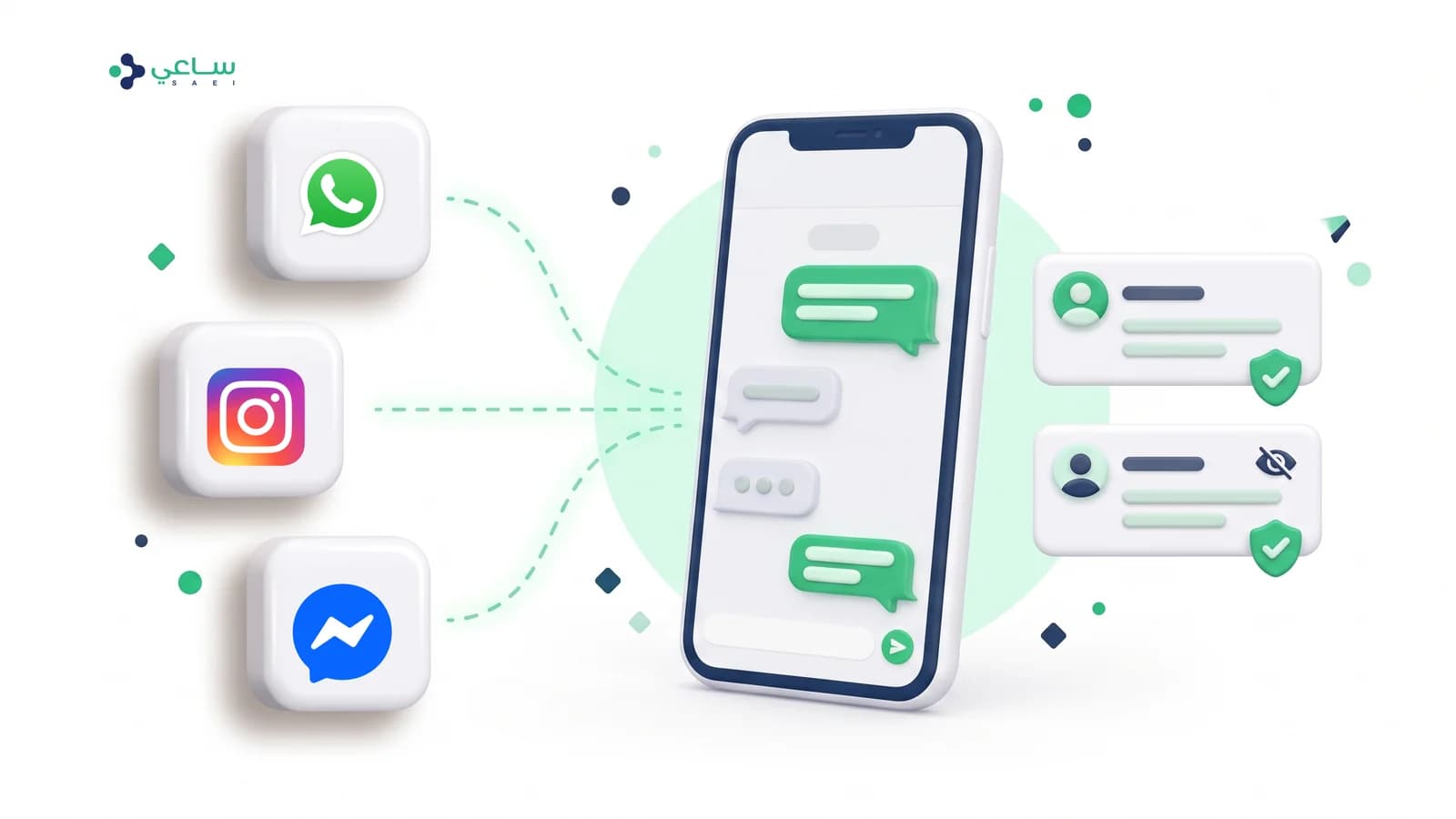
A small shop today receives enquiries on WhatsApp, on Instagram messages, and on Messenger. Three apps, sometimes three phones, and three human memories of who answered what.
What breaks is not the reply itself — it is who owns the reply. An Instagram message that arrives while everyone is looking at WhatsApp goes unanswered for a whole day, and nobody knows it exists at all. That is not a speed problem, it is a visibility problem.
- One list — every conversation in one place, ordered by most recent message, whatever the channel.
- One assignment — the conversation is assigned to a specific person, and the channel does not change that.
- One set of states — “waiting for an agent”, “assigned” and “closed” mean the same thing on all three channels.
- Filtering on demand — seeing one channel on its own is a choice you make, not a mode you are forced into.
What genuinely unifies, and what stays different
This is the point every marketing pitch about “unified channels” leaves out. The screen unifies; the rules each platform imposes do not and cannot, because they are not our rules.
Channel against channel: where they match and where they do not
matrix| Instagram and Messenger | ||
|---|---|---|
| Arrives in the same inboxOne list, one order, by most recent message | Yes | Yes |
| Shared assignment and statesThe owner and the state do not change with the channel | Yes | Yes |
| The full conversation historyWhat was said before stays readable in the same row | Yes | Yes |
| A channel badge on the rowWhatsApp deliberately has none — it is the common case | Partly | Yes |
| The same reply windowEach platform has its own window and conditions; never assume they match | Yes | Partly |
| Starting a new conversation freelyWhatsApp requires an approved template outside the window | No | Partly |
| Managing comments on postsBuilt and closed, waiting on Meta to approve the permissions | No | No |
How an agent reads a single row
The row is designed to be read in under a second, so every element on it has to earn its place by carrying something the agent does not already know.
| What you see on the row | When it appears | Why |
|---|---|---|
| The channel badge on the picture | On anything but WhatsApp | WhatsApp is most of it; a badge on every row becomes visual background nobody reads |
| The page or account name beside the contact’s | When you manage more than one page | It stops you replying from one account under another account’s name |
| The conversation’s state | When the bot is not the one handling it | “Handled by the bot” is the normal state, so it does not earn a badge |
| Who it is assigned to | When it is assigned | It separates “assigned to me” from “assigned to a colleague” by colour |
| A divider carrying the channel’s name | When the channel changes from one row to the next | It stops an Instagram conversation being read as WhatsApp |
| The unread count | When there are messages nobody has opened | In the channel’s own colour, so the source and the count read together |
The practical order for connecting
From one channel to three
sequence- 1Start with WhatsApp aloneIt is the channel most demand arrives on in the Saudi market, and it is also the channel with the strictest rules. Settling the team on it first makes everything after it easier.
- 2Add Instagram through Instagram loginDirect messages are approved and available. The right route to connect is signing in with the Instagram account itself, not through Facebook — and the wrong route fails several steps in, not at the start.
- 3Then Messenger, if your page is activeIt adds value when you have a Facebook page that genuinely receives enquiries. If you do not, connecting it adds a row to the channel list and no conversations.
- 4Set who receives what before you announce itA new channel with no named owner produces exactly what you came to solve: messages everybody can see and nobody opens.
And once the channels have settled, the next step is not a fourth channel but knowing what these customers are actually asking about— because three channels with no labelling are three sources of noise instead of one.
What a unified inbox does not do
- It does not do away with templates. Starting a conversation on WhatsApp outside the window still needs an approved template — see the template approval guide.
- It does not open comments. Post-comment management is built and closed for every workspace, waiting on Meta to approve permissions that have not been granted yet.
- It does not add TikTok today. Announced as a channel we are working towards, and that is all that can honestly be said about it now.
- It does not make up for a missing owner. A unified list surfaces the neglected conversation; closing it is still a decision somebody on the team has to make.
Does unifying the inbox mean the channels’ rules unify too?
No, and that is the most important point here. The list unifies; the rules do not. Each channel has its own reply window, its own way of starting a new conversation, and different consent conditions. A team told “everything is in one place now” discovers the difference the day a reply fails for no visible reason.
Are Instagram and Messenger messages genuinely available today?
Direct messages, yes — approved by Meta and available to workspaces whose plan includes those two channels. Comments on posts, no: the permissions to read and manage comments were submitted for review and have not been approved, and the comments inbox is closed for every workspace until they are.
And TikTok?
Announced as a channel we are working towards, with no actual connection today. We mention it because it is on the plan, not because it works — and anyone promising it to you now is promising what cannot be delivered.
How do I know which channel a conversation came in on?
From a small badge on the contact’s picture, which only appears on channels other than WhatsApp — because WhatsApp is the common case, and a badge on every row becomes noise rather than information. And when the channel changes from one row to the next, a divider carrying its name appears, so you never read an Instagram reply thinking it is WhatsApp.
Can I reply to every channel from the same screen?
Yes, from the same screen and by the same team. What differs is what the channel allows at that moment: outside the reply window the cursor does not open for free-form writing, and you are asked for the route the channel does allow instead of sending a message that is silently refused.
Do we need a separate team per channel?
The opposite is the point. Assignment, states and the conversation history are all shared: a conversation is assigned to one person whatever its channel, and closed the same way. The only useful separation is filtering — seeing one channel on its own when you want to, not being forced into it.